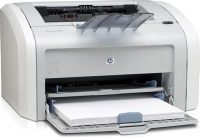
What’s the best Printer?


Printer


The quick answer is just go to Costco, look at what they have to offer, and get what you need and can afford. They have a great return policy, so Costco makes sure they don’t stock junky printers that break quickly.  Costco has the advantage of buying large volumes and numerous brands of new printers, and getting quick feedback from their customers.  I can’t think of anyone else in the computer industry who has these advantages. They also don’t have commissioned sales people pushing untested models and extended warranties.

 With all the chaos in the world, it’s almost impossible to research, order, and install the “best” printer.  Several large, formerly “reliable” companies now sell some of the worst junk currently out there.

So I cringe every time I get asked this question. It used to be that when you bought a printer, you spent $500 or more, and got a printer that would last at least 10 years. Granted, way back when there were only “dot matrix” and primitive laser printers.

That was 30 years ago.

My first printer in 1983 was a “daisy wheel” printer. It was a glorified typewriter that had a large cable that connected to the “parallel port” of an early IBM PC “clone”, a Compaq portable that looked like a small sewing machine.

A lot has changed since then. Now we have color laser and inkjet printers. We even have printers that can print plastic, metal, or cement parts and structures.

Most people buy color inkjet printers because they seem more affordable.  That’s until you go to buy your first set of ink cartridges.  Even so, if you don’t print a lot of pages, an inkjet is the most affordable.

But if you print a lot of pages, or run a business, a laserjet printer is much cheaper per page and way more reliable as well!

Steve

Quick PC maintenance

Here’s a list of basic PC maintenance steps to keep your PC and browser working better:

1. Restart your PC – You’d be amazed how many problems this can clear up. This is especially true when Windows 10 is downloading or installing updates in the background.

2. Download, install, and run “Malwarebytes” from https://www.malwarebytes.com/ This is the best free anti-malware tool available, and it’s ok to subscribe to them to get extra protection if you want.

3. Download and install the free “Firefox” browser at https://www.mozilla.org/en-US/ This is a better browser than anything from Microsoft because even the new Edge browser is still glitchy, and Google Chrome has privacy concerns.

4. Download, install, and run “Glary Utilities” from https://www.glarysoft.com It will run a scan to clean and repair the Windows File System, Registry, Shortcuts, and browser caches.

5. Do a “right click” with your mouse on the Windows Start Menu icon in the bottom left corner of your desktop screen. You will see a different menu pop up. About halfway down, click on “Windows PowerShell (Admin)”. Windows will ask if you want to run the program. Click “Yes”. This will open a window similar to the old DOS Command Line, or a Terminal window.

6. At the prompt where the cursor is flashing, type in the following command and then tap the Enter key:

dism /online /cleanup-image /restorehealth

This will take a while, possibly an hour. This command tells Windows to check that all its files are correct for the current version of Windows that you have.

7. At the same prompt as before in Step 6, type in the following command and then tap the Enter key:

sfc /scannow

This will also take a while, but not as long as Step 6. This command is a System File Checker and makes sure your core Windows files are correct and not damaged or missing.

Stay tuned for more tips about how to protect your PC and browser program.

Beware of Cell Phone guys selling Tablet computers

I’m finding a significant number of customers who have unwittingly purchased tablet computers with costly cell plans, both iPad and Android, (LG, Samsung, etc.), while buying new cell phones.

This is a problem for many reasons.

1. Customers have unknowingly purchased additional cell plans, not realizing that the tablet computer has a cell phone built into it. This can become even more expensive if you decide to stream music or video and don’t realize that cell data charges might apply.

2. Tablet computers with built-in cell phones cost more than just plain tablets because of the extra circuit boards, etc. While it might be great to have Internet on your tablet while on the road, you pay a premium to have this extra hardware feature.

3. Tablet computers can have their free voice or texting services shut down arbitrarily by either the cable companies or cell carriers if competitive issues arise, etc. This appears to have happened recently when Xfinity dropped *free* voice and texting services on iPads using just Verizon (cell network) internet services, apparently to help Verizon *sell* these services instead in addition to the $10 Verizon-iPad internet cell connection.

I’ve seen many customers who were swayed into buying phones because they were offered “free” tablet computers that turned out to not be so free. Unless you really need to have internet on your tablet while traveling, I recommend you steer clear of deals like this.

Steve

Windows 10 Deep Sleep Problem, and other comments…

In recent weeks, many customers are reporting computers that don’t boot up completely, or that boot up into entirely new Windows User Profiles, which makes it look like everything is gone.

The common trigger for the problem appears to be a recent Windows update for version 1903. If the computer has any BIOS settings that allow a hardware-based “deep sleep” mode, then the Windows update seems to trigger this mode and cause boot-up problems for the computer.

The quick fix is to power the computer down by pressing the power button in for about 10 seconds, or disconnecting the power cord from the back or side of the computer.

After the power cord is disconnected, press the power button once, as if you are just starting the computer. This will drain any excess power that might be lurking in the power supply. Then re-connect the power cord, press the power button normally to start the computer. It should boot up normally now.

The more permanent fix is to boot the computer into BIOS setup mode, look for any check boxes in the Power or other settings for allowing “deep sleep” or other sleep settings, and turn them off.  Only do this if you really know what you’re doing!

I have seen this problem occasionally for the past couple of years on business-class computer models, e.g., the Dell Optiplex series, that are aimed at the corporate market which is always trying to save money on energy, etc.

Now it seems to be a problem on regular consumer models, e.g., the Dell Inspiron. It seems to be triggered by Windows 10 updates, which in turn can be triggered by updates or usage of utility software like anti-virus software, or Windows maintenance software.

In any case, I continue to be dismayed by the on-going chaos and unpredictability of Windows 10, and am still recommending that customers seek computer products from different companies like Apple, Google, or the Linux world. In general, I have seen that running a Windows computer is the most expensive option customers can choose, due to the frequent maintenance and repairs that are required to protect a user’s data, privacy, and finances.

Windows computers cost about twice as much to run as a Mac, an iPad, a Chromebook, or a Linux computer, and over a computer’s life of five or more years, the choice of either maintenance vs. data loss makes the total cost of a Windows computer exceed all other options!

For example, let’s say you have the choice of buying a Windows 10 laptop for $750, or an MacBook Air for $1000.  Well the Windows computer is definitely more affordable, right?

Uh, not really.  The typical maintenance interval for the Windows computer if you don’t want it to crash or get taken over by some thug in Russia, is every 6 months for a casual non-business user, 3 months for a “power user”, or monthly for a business user.  So for the casual user, this is going to cost about $150 a year.  For the Mac, my experience is a maintenance interval of about once a year for a casual user, or about $75.

At the end of five years, the cost of the PC is $750 plus another $750 for maintenance, totaling $1500.  For the Mac, it’s $1000 plus another $375, for a total of $1375.  This is what I’ve been seeing, over and over, for the past 10 years!

Of course you can choose to do no maintenance at all.  If you do this on a Mac, you’ll probably need to eventually re-load the operating system.  If you do this on a PC, it will eventually crash or be hacked, resulting in total data loss and banking or financial losses as well.

You *absolutely must* have an experienced (10 years or more) Computer Professional to check your computer.  It cannot be your grand-kid, your son-in-law the CPA, or the old retired IBM sales guy from down the street.  One time I heard about a retired couple who stopped using their computer guy and decided to go the route of using their CPA son-in-law.  Two years later their Windows computer and brokerage account had been hacked to the tune of $15,000 !  Ironically, the son-in-law never had a problem like this because he was a Mac user !

The computer profession is relatively new and so it lacks the credentialing and training that you see in other professions like medicine, law, or business administration.  Eventually this will be fixed.  In the meantime it helps to know that the average computer programmer makes more million-dollar decisions in their daily coding than most business executives make in an entire year.

Steve

Three strikes, you’re out !

After much pondering about the few adversarial customers I’ve had to drop, I’ve realized there are some common threads among them.  Here are the top ten common bad practices, from 1 to 10:

     1.  Using DSL (Phone Company) for an Internet connection –

It’s slow, expensive, buggy, and totally un-workable for modern software and computers.  The phone companies usually fail to provide the bandwidth they promise, because they’re negligent in managing their local capital investments to upgrade to fiber, etc.  Usually the phone companies are just lazy monopoly gravy-trains for executives and bond holders.

     2.  Doing Banking or Investing on a Windows Computer –

Windows is the least secure for doing business on the internet, and risk of loss is very high.  Or should I just say you’re bats**t crazy for using Windows to do banking?

     3.   Using Microsoft Outlook for email –

Outlook is a very shoddy place to put your email. Contacts and email get scrambled or lost easily due to Microsoft’s poor internal data management.  Microsoft has a lot in common with the above phone companies.

When combined, bad practices 1 through 3 guarantee an eventual large failure or loss. Any three of all these top ten, and you’re still skating on thin ice.

     4. Using old printers on Windows 10 –

Driver and software problems galore, but hey, gotta love all those Windows 10 Start Menu tiles for Candy Crush, X-Box, Solitaire, etc.  And then there’s the Edge browser, cool ‘cuz it’s Edgy!

     5. Comcast Email –

Spam, bugs, awkward and poor user interface.  Be sure you don’t move, because if you do, Comcast will not forward your email address to your new physical address because the Comcast Mein Fuhrer does not permit this.

     6.  All-in-one Computers –

Most manufacturers take lots of shortcuts on these.  Most are unreliable junk.

     7.  HP computers, or buying computers without first consulting with a technician –

Most are garbage.  Shame on HP management and their destruction of good engineering and companies like DEC and Compaq.

     8.  Computers and servers more than 8 years old –

This is A GIANT red flag for risk of all sorts.

     9.  Being cheap on connecting to the internet, or making odd network configurations.

One business customer had made a huge mess with custom network cabling, multiple cheap routers and switches, routers with custom firmware, un-authorized modem changes, obsolete or bizarre server setups, like Windows Server 2008 running as a virtual machine on an old Linux partition, with an old copy of Microsoft Exchange thrown into the mix for fun and giggles.

     10.  Using the technician’s time without paying because computers just cost too much.

Well eventually, you don’t get what you don’t pay for.

As a service provider, there are certain jobs where very bad situations exist at the first visit.  If a customer is willing to listen and correct issues, then there’s hope for the future.  But if the customer stubbornly insists on preserving their quagmire, then, as they say in baseball, “strike three, you’re out!”

Steve


Silicon Valley Declines

America’s perception and trust of Silicon Valley companies is changing rapidly and for the worse.  How the Valley survives is up to debate.  They may end up being only hardware companies, selling generic computers and devices.  It’s clear to me that most of today’s popular “social media” web sites, services, search engines, *and* their advertisers, will be gone or vastly modified within the next ten years.

Already reeling from scandals involving “data mining” and privacy breaches, Silicon Valley companies slipped into the shark-infested waters of politics in a big way since the Lehman crisis.  Many of the most famous firms have excluded or demoted links from searches, deleted accounts, banned or censored content, removed or de-monetized ad revenue, or shorted web site statistics.

My opinion about this is heresy in Silicon Valley, where entire cities are contemplating changing their names to honor the founders of data-sucking infotainment empires.

My best advice is to stay diversified and alert, and not become overly dependent on any one computing product or service.

Steve

Slow computer? You must be Win-doze-ing…

The current state of the PC market is that you must spend an extra $200 to $300 on a new computer to run Windows 10 properly. The same thing is happening to Windows 7 as well. Thanks to all the new updates, all versions of Windows are running slow without special new hardware that most people are unfamiliar with.

That new hardware is “SSD”, a.k.a. “Solid State Drive”. It makes computers run three to five times faster because it uses memory chips instead of moving mechanical parts.

It’s best to get an SSD with a new computer. Retrofitting can be done on current computers but is not a cheap or sure thing to transfer everything seamlessly.

Many computers already have SSDs. MacBook Air, Google Chrome Books and Boxes, iPads, etc. are all examples of this.

Steve

Android Tablets

This is a quick note about Android Tablets. After trying a couple of them over the past six years, all I can say is that they’re pretty bogus, have short lives, never get updated after a year or so, etc. My Google Nexus 7 failed after four years, where its flash memory went bonkers. I still have my LG V700, but it’s slow and vulnerable to hacks because its operating system stopped getting updates a long time ago.

Beware of “free” tablets given away along with cell phone plans. The companies give them away because they want you to rack up extra monthly charges, especially for data.

Kindle tablets are ok if you just use them as readers, but other than that, they’re fairly limited and filled with ads to make up for their low prices.

Instead of Android tablets, I use Apple iPads.  They’re the proverbial Eveready bunny of tablet computers. I recommend them highly.

Are there any safe computers?

No computer is 100% secure, but some are much better than others. Keep in mind that no computer has security if the user is fooled into calling or clicking on bogus services.

For now, the most secure computers are Google Chromebooks and Chromeboxes, and Apple iPads. Macs have very good security, but I’m seeing more attacks against the Safari browser. Sadly, the days of worry-free Macs are over, as they now need some of the same protections as Windows computers, i.e. a safe browser, effective browser add-ons, and quality anti-virus/anti-malware programs.

If you have to use Windows, you must add a bunch of protective layers, including having an expert check the PC at least twice a year. If you run a business PC and rely on special bookkeeping, database, or other software, it probably should not even be connected to the internet.  You cannot run a Windows computer for more than 3 to 6 months without it being checked, for the same reasons you can’t leave your house unattended for more than a day or two.

In any case, I’m now recommending that you never use a Windows computer for managing financial accounts.  It’s just too risky, and Microsoft has proved itself incapable of fixing the situation for over 10 years.  Many computer experts say Windows security is fine as long as updates are done promptly.  But that’s baloney.  Even the latest Windows 10 and its infamous browsers, Internet Explorer and Edge, continue to have an unending stream of vulnerabilities compared to Unix-style operating systems and leading-edge browsers like Chrome.

Here’s a paraphrased conversation I had with a customer this morning about her Windows 7 computer:

Dr. Steve: Hello, this is Dr. Steve!

Customer: Hi Dr. Steve, I need help with my PC. This is Kathy.  Do you remember me? I know it’s been a while, over two years ago.

Dr. Steve: Yes, hi Kathy, how are you doing?

Customer: My bank called this morning and told me my computer just got hacked, and my account had thousands of dollars stolen from it.  Fortunately my bank knows it’s fraud, and it will cover the loss.

Dr. Steve: That’s terrible! A lot has changed in the past two years. Windows is under major attack. How old is your computer?

Customer: 7 or 8 years. You told me the last time that it was due for replacement.

Dr. Steve: Yes, unfortunately it’s really not worth trying to repair a computer older than 7 years. Not only does Windows have to be re-installed, but all your data and programs have to be recovered and re-installed as well. The repair time ends up costing more than half of what a new PC costs, and 100% of what an alternative costs, like a Chrome or iPad device.

Customer: I can’t afford a new PC.

Dr. Steve: That’s ok, there are more affordable options that are way more secure, like Google Chromebooks and Apple iPads, both in the $300 range.

Customer: Well I do have an iPad, but it doesn’t have all the features I need.

Dr. Steve: You can put a keyboard on an iPad.  You can run Microsoft Office, do email and printing, and install safe browsers.  Most customers are surprised when I tell them that they’re much safer doing finances on an iPad.

Customer: Well I have to go now. I have to leave right away and change all my accounts at the bank.

Dr. Steve: Please feel free to call me about getting a better computer for you.

Customer: Thanks, bye!

Google Will Pay You $100K If You Can Hack a Chromebook

So what do you think of someone that wants to run a car for 7 years with no maintenance and pay only $90 when it finally breaks down? Many people continue to cling to Windows computers, no matter how much suffering it causes.  How long will financial companies cover for accounts that get hacked because of persistently poor Windows PC security? The core truth in all this is that Windows has never been an appropriate system for regular non-geek type people!  I’m so glad we have better choices now than 5 or 10 years ago!

Steve

Skip Windows 10, Get a Tablet

Microsoft continues to disappoint.  Just about any other type of computer, whether it’s iPad, Android, Chrome, or Linux, will be better.  I’ve worked with Microsoft products since 1983, and for the past several years it’s been like watching “Idiocracy” or “Jekyll and Hyde” while listening to Devo sing about “de-evolution”.

At least half of my customer calls are for Windows malware and virus removal.  Another 25% is for the poor folks who find out how bad Windows 8 and 10 really are, and are trying to go back to Win 7 or convert to Apple or Google.  The new internet browser in Windows 10 is called “Edge”.  It’s supposed to be a totally new browser that fixes all the security and other flaws in the old Internet Explorer.  However, I recently came across a Win 10 computer that was badly infected with malware.  I had just about everything cleaned up, but still had to fix Edge, which was stuck in a loop going to an infected malware website home page.  The only way I could fix Edge was by resetting Internet Explorer, which proves to me that Edge is just a farcical re-work of Internet Explorer.  And the same can be said for the rest of Windows 10, where Windows 7 settings and other functions still (fortunately) lurk under the dumbed-down Windows 10 interfaces.

LaughingCow

Microsoft is badgering its customers to “upgrade” to Win 10 not because Windows 10 is more secure, reliable, feature-rich, private, or user friendly.  No, Microsoft is pushing Win 10 because they want to tap the same markets as Apple, Facebook, Amazon, and Google.  Windows 10 is all about milking you, dear consumer, like an internet cow.  A perfect example of this is the new versions of Microsoft Office, 2013, 365, and 2016.  No longer can you buy a physical package and disk for $150 and be set for the next 10 years.  No, all the new versions are “on-line” subscriptions costing $10 or more per month.  If you do the math, you’ll find this is costing you up to 10 times more than the old disk-based copies.  But there’s hope.  For now, you can stop Windows 10 upgrades and nagging by downloading and running “Never 10” at Gibson Research,

https://www.grc.com/never10.htm

Then you can start looking at other types of computers and Office-type software.  I’ll be covering these topics soon in my next few posts.